Seedance 2.0 ComfyUI Guide: Setup, Workflows, and Custom Nodes (2026)
How to set up Seedance 2.0 in ComfyUI — install custom nodes, get an API key, build text-to-video and image-to-video workflows, and use the consistent character feature for face-locked animation.

Seedance 2.0 is available in ComfyUI through a custom node pack that provides text-to-video, image-to-video, consistent character, and video extension — all accessible from the ComfyUI node graph.
Instead of switching between the Seedance 2.0 web interface and your ComfyUI workflows, you can integrate Seedance 2.0 generation directly into your existing ComfyUI pipelines. This is useful for combining Seedance 2.0 with other models, preprocessing images before generation, or automating multi-step video workflows.
This guide covers installing the custom nodes, getting an API key, building basic and advanced workflows, and using the consistent character feature.
What You Need
| Requirement | Details |
|---|---|
| ComfyUI | Installed and running |
| Custom nodes | Anil-matcha/seedance2-comfyui |
| API key | From muapi.ai (free sign-up) |
| Python | 3.8 or higher |
Step 1: Install the Custom Nodes
Option A — ComfyUI Manager (Recommended)
- Open ComfyUI Manager.
- Select Install via Git URL.
- Paste:
https://github.com/Anil-matcha/seedance2-comfyui - Click Install and restart ComfyUI.
Option B — Manual Installation
cd ComfyUI/custom_nodes
git clone https://github.com/Anil-matcha/seedance2-comfyui
pip install -r seedance2-comfyui/requirements.txt
Restart ComfyUI after installation.
Step 2: Get an API Key
Seedance 2.0 runs on cloud servers — ComfyUI sends generation requests to the API rather than running the model locally.
- Go to muapi.ai and create an account.
- Navigate to Dashboard → API Keys → Create Key.
- Copy the generated key.
You can enter the key in two ways:
- Add a Seedance 2.0 API Key node in ComfyUI and paste the key there.
- Or use the MuAPI CLI:
muapi auth configure --api-key YOUR_KEY— nodes will pick it up automatically.
Step 3: Build a Basic Text-to-Video Workflow
After installation, the nodes appear under the 🌱 Seedance 2.0 category in the node menu.
Node structure:
[🔑 API Key] → [🌱 Text-to-Video] → video_url → [🌱 Save Video] → frames → [Preview Image]Steps:
- Right-click the canvas → Add Node → 🌱 Seedance 2.0 → Seedance 2.0 API Key. Paste your API key.
- Add a Seedance 2.0 Text-to-Video node. Connect the API key output to its input.
- Set the prompt, aspect ratio, quality, and duration in the node.
- Add a Seedance 2.0 Save Video node to handle the output. Connect the video_url from the generation node.
- Add a Preview Image node to see the first frame.
- Click Queue Prompt.
Available Nodes
| Node | Purpose |
|---|---|
| Seedance 2.0 API Key | Stores your muapi.ai key |
| Seedance 2.0 Text-to-Video | Generate video from text prompt |
| Seedance 2.0 Image-to-Video | Animate up to 9 reference images |
| Seedance 2.0 Omni Reference | Multi-modal: images, video, audio |
| Seedance 2.0 Consistent Character | Create 4K character sheet from 1-3 photos |
| Seedance 2.0 Consistent Character Video | Animate scene with locked character |
| Seedance 2.0 Extend | Continue a previously generated video |
| Seedance 2.0 Save Video | Download video, return image frames |
| Seedance 2 Mini Text-to-Video | Fast, lower-cost T2V |
| Seedance 2 Mini Image-to-Video | Fast, lower-cost I2V |
Consistent Character Workflow
The consistent character feature lets you lock a character's appearance across multiple generations using reference photos.
Full workflow:
[🔑 API Key] → [Consistent Character] → sheet_image → [Consistent Character Video] → [Save Video]
[outfit_description] [scene prompt]- Add a Load Image node and load 1-3 reference photos of your character.
- Connect the image to a Seedance 2.0 Consistent Character node along with your API key. Add an outfit description.
- The node generates a 4K character sheet. Connect the sheet_image output to a Consistent Character Video node.
- Add a scene prompt describing what you want the character to do.
- Connect to Save Video and generate.
The sheet_image output feeds directly into the Consistent Character Video node for maximum face fidelity. Alternatively, you can use the character_id as an @character reference in any T2V or I2V prompt for a simpler but looser approach.
Node Parameters
| Parameter | Options |
|---|---|
| aspect_ratio | 16:9, 9:16, 4:3, 3:4 |
| quality | basic, high |
| duration | 5, 10, 15 seconds |
| prompt | Text description (T2V and I2V nodes) |
| outfit_description | Text description (Consistent Character node) |
Pre-Built Workflow Files
The custom node repository includes two JSON workflow files you can load directly:
- Seedance2_T2V_Example.json — basic text-to-video generation
- Seedance2_ConsistentCharacter_Example.json — full character workflow
Load these via ComfyUI → File → Load.
Frequently Asked Questions
Does Seedance 2.0 run locally in ComfyUI? No. The custom nodes send generation requests to the muapi.ai API. The model runs on cloud servers, not on your local GPU.
Do I need a GPU to use Seedance 2.0 in ComfyUI? You need a GPU to run ComfyUI itself, but the Seedance 2.0 processing happens on remote servers. A basic GPU is sufficient for the ComfyUI interface.
Is there a free tier for the API? muapi.ai offers free credits on sign-up. Check the platform for current free tier limits.
Can I use Seedance 2.0 Mini through ComfyUI? Yes. The custom node pack includes Seedance 2 Mini Text-to-Video and Seedance 2 Mini Image-to-Video nodes for faster, lower-cost generation.
What happens to my API key in the workflow? The API key is stored in the node graph. Save your workflow file in a secure location if it contains the key.
Summary
Seedance 2.0 in ComfyUI works through custom nodes that connect to the muapi.ai API. Install the node pack, get an API key, and build text-to-video, image-to-video, or consistent character workflows directly in your ComfyUI node graph. The consistent character feature is the most powerful capability — it locks a character's appearance across generations using reference photos.
Autor

Kategorien
Weitere Beiträge

Seedance 2.0 Visual Restrictions Guide: Face Filters, IP Blocks, and What Actually Triggers Them (2026)
Why Seedance 2.0 blocks faces and copyrighted content — how the face detection filter works, what triggers IP blocks, which platforms are stricter, and how to work within the restrictions without violating terms of service.
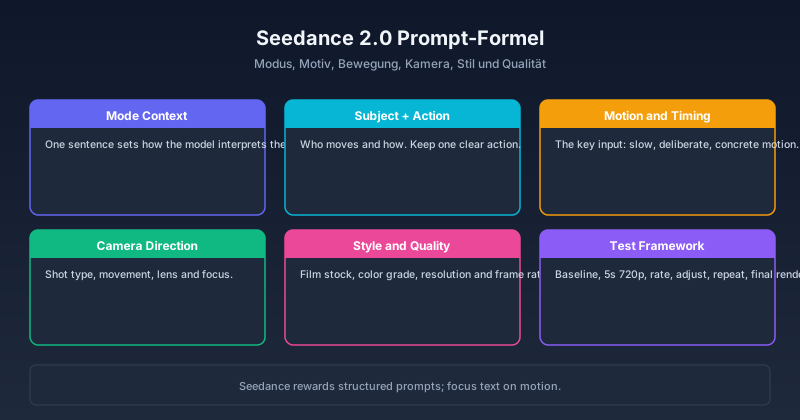
Seedance 2.0 Prompt-Guide: Die besten Prompts, Vorlagen & Tipps für 2026
Seedance 2.0 Prompting meistern – von Text- und Bild-Prompts über cineastische First/Last-Frame-Techniken bis hin zu Referenz-zu-Video und Audio-Driven. Mit getesteten Vorlagen, modus-spezifischen Strategien und der universellen Prompt-Formel für alle Seedance 2.0 Modi.

How to Do Fighting Scenes in Seedance 2.0: Action Choreography, Camera Motion, and Anime Battles
Learn how to generate convincing fighting scenes in Seedance 2.0. Covers action choreography prompts, impact beats, fight-specific camera motion, anime battle aesthetics, and handheld combat sequences. Updated July 2026.
Newsletter
Community beitreten
Abonnieren Sie unseren Newsletter für die neuesten Nachrichten und Updates