Cheapest Way to Use Seedance 2.0: Cost per Clip, Best Platforms & Smart Workflows in 2026
Compare the cheapest platforms to use Seedance 2.0 — real cost per second, 720p vs 1080p economics, Fast mode savings, and why the cheapest clip is not always the cheapest finished video.

If you have searched "cheapest way to use Seedance 2.0," you have found the same conflicting answers I did before running the numbers myself. One Reddit thread says Dreamina. Another comment says Pollo AI. A third post swears by a reseller at 70% off. Meanwhile every pricing page shows credits and tiers — never a direct dollar-per-clip answer.
The truth is both more useful and more frustrating than any single answer: the cheapest platform per clip and the cheapest platform per finished project are often different numbers. The question comes up over 2,600 times a month, and most responses miss this distinction entirely.
I have tested each major platform across multiple resolutions, durations, and workflows so you do not have to repeat the math. By the end of this guide, you will know exactly which setup saves the most for your use case — whether you are testing one clip or shipping a hundred — and how the right workflow can cut your credit spend by 64% without switching platforms.
The Short Answer
The cheapest platform to use Seedance 2.0 depends on who you are and what you need. Here is a 30-second fit check:
| If you are… | Your cheapest path is… |
|---|---|
| Testing a few ideas or one-off clips | Seedance2Pro with Fast mode at 5 seconds and 480p — 34 credits per clip (under $1 with most credit packs) |
| Generating social content at 720p most of the time | Seedance2Pro, Fast mode at 5–10 seconds, using the Pro or Max pack for mid-tier per-credit pricing |
| Shipping 1080p client deliverables at volume | Seedance2Pro Ultra Pack ($399.90 / 28,000 credits) — $0.0143 per credit, making a 5-second 1080p clip about $3.20 |
| Minimizing upfront cost | Seedance2Pro Basic monthly plan at $7.99/mo, or platforms with free trial credits when available |
The sections below walk through each scenario with hard numbers so you can decide without guesswork.
What Makes One Workflow Cheaper Than Another
Before comparing platforms, it helps to understand what drives cost inside a generation. Three variables change the price of any Seedance 2.0 clip — and knowing them is the single fastest way to lower your bill:
- Model — Seedance 2 Fast costs fewer credits than standard Seedance 2 at the same duration and resolution.
- Duration — Longer clips cost more. A 15-second clip is not three times a 5-second clip on every platform, but it is always more.
- Resolution — 1080p costs significantly more than 720p, which costs more than 480p.
Rule of thumb: Resolution is the biggest cost lever. Moving from 720p to 1080p roughly doubles credit cost on most platforms, while stepping from 5 to 10 seconds adds about 80–100%. If you control nothing else, control resolution first.
On Seedance2Pro, these are the current credit costs for the most common workflows:
| Workflow | Credits |
|---|---|
| Seedance 2 Fast, 5s, 480p | 34 |
| Seedance 2 Fast, 5s, 720p | 73 |
| Seedance 2 Fast, 10s, 720p | 145 |
| Seedance 2 Fast, 15s, 720p | 218 |
| Seedance 2, 5s, 480p | 42 |
| Seedance 2, 5s, 720p | 90 |
| Seedance 2, 5s, 1080p | 224 |
| Seedance 2, 10s, 720p | 180 |
| Seedance 2, 15s, 1080p | 673 |
That spread — from 34 credits to 673 credits for a single clip — is why "cheapest" is meaningless without specifying the workflow.
How Much Does Seedance 2.0 Cost per Second?
This is one of the most searched questions — "seedance 2.0 1080p cost per second" gets nearly 3,000 searches a month, and "how much does seedance 2.0 cost per second" adds another 560. Here is the direct answer, not a redirect to a calculator page.
On Seedance2Pro, cost per credit ranges from $0.0249 (smallest one-time pack) to $0.0143 (largest pack). Here is what that means for cost per second of output:
| Workflow | Credits | At $0.0249/credit | At $0.0143/credit |
|---|---|---|---|
| Fast 5s 480p | 34 | $0.85 | $0.49 |
| Fast 5s 720p | 73 | $1.82 | $1.04 |
| Fast 10s 720p | 145 | $3.61 | $2.07 |
| Fast 15s 720p | 218 | $5.43 | $3.12 |
| Seedance 2, 5s 480p | 42 | $1.05 | $0.60 |
| Seedance 2, 5s 720p | 90 | $2.24 | $1.29 |
| Seedance 2, 5s 1080p | 224 | $5.58 | $3.20 |
| Seedance 2, 15s 1080p | 673 | $16.76 | $9.62 |
Cost per second for a 5-second clip at the best credit rate:
- Fast 480p: ~$0.10/second
- Fast 720p: ~$0.21/second
- Standard 720p: ~$0.26/second
- Standard 1080p: ~$0.64/second
Rule of thumb: A 1080p clip costs about 6× the cheapest Fast workflow per second. If you are iterating, start cheap and only pay for 1080p on the final render.
How Much Does a Single 15-Second Generation Cost?
The question "how much does 1 seedance 2.0 15 sec generation cost?" has about 700 monthly searches. Here is the direct answer.
On Seedance2Pro, a 15-second generation at 1080p on standard Seedance 2 costs 673 credits. Priced against the credit packs:
- Starter Pack ($19.90 for 800 credits): About $16.73 per 15-second 1080p clip
- Ultra Pack ($399.90 for 28,000 credits): About $9.62 per 15-second 1080p clip
A 15-second clip at 720p on Seedance 2 Fast costs 218 credits:
- With the Starter Pack: About $5.43
- With the Ultra Pack: About $3.12
The 15-second 1080p workflow is the most expensive single clip you can generate under current settings. If you do not need 15 seconds, the shorter durations save you more than any platform discount would.
The Smartest Budget Workflow: Draft in Fast, Finish in Standard
The single most effective way to lower your effective cost per finished clip is not switching platforms — it is changing how you iterate. Most users generate their first clip at the quality they want for the final output, then regenerate every time the result is wrong. Each failed attempt costs full price.
Here is a three-step pattern that saves every heavy user I have talked to significant credits:

- Validate the concept with Fast 480p (34 credits). Test prompt direction, motion, and framing at the lowest cost tier.
- Confirm visual quality at Fast 720p (73 credits). If the concept works at 480p but looks rough, this step catches it before you spend big.
- Render the final output in standard Seedance 2 (90 credits at 720p, 224 at 1080p). By this point, the prompt and motion are locked in — the final render is a hit, not an experiment.
Compare two approaches for arriving at one finished 1080p clip:
Without the draft workflow:
- 3 experimental runs in Seedance 2 at 1080p (3 × 224 = 672 credits)
- 1 final render at 1080p (224 credits)
- Total: 896 credits (~$12.80 at best rate)
With the draft workflow:
- 3 experimental runs in Fast at 5s 480p (3 × 34 = 102 credits)
- 1 final render at 1080p (224 credits)
- Total: 326 credits (~$4.66 at best rate)
That is a 64% reduction in credit spend for the same finished output — the single biggest savings in this entire guide. Fast mode generates quickly, so the only tradeoff is a few extra clicks.
720p vs 1080p Economics
The resolution jump is the biggest single cost multiplier in Seedance 2.0. Moving from 720p to 1080p on standard Seedance 2 increases credit cost by about 2.5× at the same duration.
On Seedance2Pro:
- A 5-second clip at 720p costs 90 credits
- A 5-second clip at 1080p costs 224 credits
For many social platforms (TikTok, Instagram Reels, YouTube Shorts), 720p output looks perfectly good. The compression those platforms apply often negates the benefit of 1080p input anyway.
Rule of thumb: If the final destination is a phone screen viewed in a vertical feed, 720p is visually indistinguishable from 1080p after platform compression. Save 1080p for client deliveries and broadcast.
Use 1080p when:
- The clip goes to a client or broadcast environment
- You are compiling multiple clips into a larger edit where quality stacking matters
- The shot is already proven at 720p and you want the cleanest master
Use 720p for everything else. The savings add up fast when you generate 20 or 30 clips a week.
Is Fast Mode Always the Cheapest Choice?
Seedance 2 Fast costs fewer credits than standard Seedance 2 at every duration and resolution on Seedance2Pro. But "cheapest per clip" is not the same as "right for every use," and confusing the two is one of the fastest ways to waste credits on unusable output.
Fast is the better choice when:
- You are testing prompts, angles, or image references
- You want to validate motion before committing more credits
- The output destination does not require the highest quality tier
- You are iterating rapidly and generating many variations
Standard Seedance 2 is the better choice when:
- The clip is final or near-final
- The output needs 1080p resolution (Fast tops out at 720p on Seedance2Pro)
- You are delivering to a client or publishing to a platform where quality differences are visible
The optimal strategy is not picking one mode. It is using Fast to explore and standard to deliver.
Credit Pack vs Monthly Subscription: Which Saves More?
Once you know which workflow and resolution you need, the next question is how to pay for it. On Seedance2Pro, you have two options, and the right one depends on your generation schedule.
One-time credit packs (credits never expire):
| Pack | Price | Credits | Cost per credit |
|---|---|---|---|
| Starter Pack | $19.90 | 800 | $0.0249 |
| Basic Pack | $39.90 | 1,800 | $0.0222 |
| Pro Pack | $69.90 | 3,600 | $0.0194 |
| Max Pack | $99.90 | 5,600 | $0.0178 |
| Super Pack | $169.90 | 10,500 | $0.0162 |
| Ultra Pack | $399.90 | 28,000 | $0.0143 |
Monthly subscription plans (credits expire after 30 days):
| Plan | Price | Credits | Cost per credit |
|---|---|---|---|
| Basic | $7.99/mo | 360 | $0.0222 |
| Pro | $25.90/mo | 1,320 | $0.0196 |
| Max | $59.90/mo | 3,600 | $0.0166 |
The subscription plans are closest in per-credit value to the mid-tier packs. The advantage of the monthly plan is the lower upfront cost — you can start generating for $7.99. The disadvantage is the 30-day expiry on credits.
The cheapest path in terms of lowest cost per credit is the Ultra Pack at $0.0143 per credit. But the absolute cheapest path for your specific use depends on volume:
- Under 50 clips per month: The Starter Pack or Basic Plan. You are not buying credits you will not use.
- 50–150 clips per month: The Pro or Max monthly plan. Credits expire, but your usage justifies the recurring purchase.
- Over 150 clips per month: The Ultra Pack. The per-credit savings compound fast enough to justify the one-time cost.
What You Get on Seedance2Pro
Seedance2Pro is a dedicated platform for Seedance 2.0 generation. It supports both Seedance 2 and Seedance 2 Fast modes, multiple durations (5s, 10s, 15s), three resolution tiers (480p, 720p, 1080p), and both text-to-video and image-to-video workflows. You can upload up to two images for first-frame or first-and-last-frame control, toggle audio output, and generate at your own pace with credit packs that never expire.
If you value predictable pricing, transparent credit costs (shown before you generate), and the flexibility to switch between Fast and standard modes within the same session, it is a strong middle-ground option.
FAQ
Is Dreamina the cheapest platform for Seedance 2.0?
Dreamina offers Seedance 2.0 access, often with discounted yearly plans. The tradeoff is that Dreamina applies stricter content restrictions and does not offer the same range of resolution and duration options as dedicated platforms. If your content passes Dreamina's filters and you commit to a yearly plan, it can work out cheaper per month. But per-clip cost varies, and "cheapest" here depends on whether your use case fits the platform's guardrails.
What is the cheapest Seedance 2.0 platform overall?
There is no single answer because the cheapest platform changes based on volume, duration, and whether you need 1080p. For low-volume users, platforms with free trial credits (when available) may be cheapest initially. For regular generation, a dedicated platform like Seedance2Pro with tiered credit packs gives you control over both per-clip cost and workflow flexibility.
How much does a 5-second 1080p clip cost?
On Seedance2Pro, a 5-second Seedance 2 clip at 1080p costs 224 credits. At the best per-credit rate (Ultra Pack), that is about $3.20. At the Starter Pack rate, about $5.58.
How much does a 5-second 720p clip cost?
90 credits on standard Seedance 2, or 73 credits on Seedance 2 Fast. In dollar terms, roughly $1.29 to $2.24 depending on pack size.
Can I use Seedance 2.0 for free?
Some third-party platforms occasionally offer free credits for new signups, but there is no permanent free tier for Seedance 2.0 on any major platform. The model costs compute to run, which platforms pass through as credit costs. The "free" offers you see are limited-time trials.
Does resolution affect credit cost more than duration?
On Seedance2Pro, the resolution jump from 720p to 1080p is a larger credit multiplier per second than any single duration step. A 5-second 1080p clip (224 credits) costs more than a 10-second 720p clip (180 credits). Duration still matters — a 15-second clip costs more than a 5-second clip at the same resolution — but resolution is the bigger lever.
Bottom Line
The cheapest way to use Seedance 2.0 is not about finding one platform with slightly lower per-credit pricing. It is about matching your workflow to the cost structure.
- Use Seedance 2 Fast for exploration and testing.
- Use 5-second durations to prove concepts before committing to longer clips.
- Use 720p for most social-first output and save 1080p for final deliverables.
- Buy larger credit packs if your volume justifies the upfront cost.
- Buy a monthly plan if you want a lower entry price and predictable monthly spending.
The difference between an unplanned workflow and a draft-first workflow can be 2–3× the credit cost for the same finished output. That is a bigger savings than any platform discount.
If you want to start generating with transparent pricing and credit packs that never expire, open the Seedance2Pro generator and run a Fast 5-second 480p clip as your first test — it costs under $1 — then iterate from there.
作者

更多文章
Seedance 2.0 API 教學:價格、API Key 申請同整合攻略(2026)
完整 Seedance 2.0 API 指南 — 點樣拎 API Key、每次生成收幾錢、可用端點、整合範例,仲有跨平台成本比較。你需要嘅一切,用 Seedance 2.0 API 去開發應用。
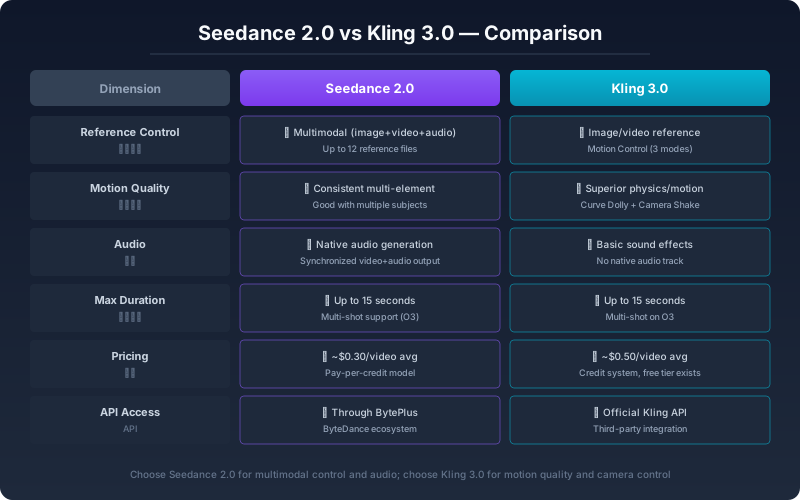
Seedance 2.0 vs Kling 3.0: Which AI Video Model Should You Use in 2026?
An honest, feature-level comparison of Seedance 2.0 and Kling 3.0 for AI video creation. See how they differ in reference control, motion quality, audio sync, pricing, and real-world workflow fit.


Lucy 2.5: Decart Launches Real-Time AI Video Editing at 30 FPS
Decart released Lucy 2.5 on July 16, 2026 — a real-time AI video editing model capable of 30 FPS, 1080p output with near-zero latency. Here is what it does, how Self-Anchoring works, and what the pricing means.
電子報
加入社區
訂閱我們的電子報,獲取最新消息及更新