Seedance 2.0 Mini Guide: The Lighter, Faster, Half-Cost AI Video Model (2026)
Seedance 2.0 Mini explained — the lower-cost AI video model at half the credit cost of standard Seedance 2.0, how it compares to the full model, when to use Mini vs Standard, and how it fits into a cost-effective workflow.

Seedance 2.0 Mini is the lower-cost version of ByteDance's Seedance 2.0 video model. It generates cinematic video at approximately half the credit cost of the standard model, with faster generation and practical quality suitable for everyday content.
Mini is not a replacement for the full Seedance 2.0 model. It is an alternative for situations where cost and speed matter more than peak quality — social media content, ad variants, concept exploration, and high-volume production.
This guide covers what Seedance 2.0 Mini is, how it compares to the standard model, and when each one is the right choice.
What Is Seedance 2.0 Mini?
Seedance 2.0 Mini is a lighter, faster variant of the Seedance 2.0 model. It reduces generation cost to roughly half the standard model's credit cost while maintaining support for text prompts, image references, video references, and audio direction.
What Mini includes:
- Text-to-video and image-to-video generation
- Multi-shot storytelling with camera motion control (pans, zooms, tracking shots)
- Visual consistency across scenes
- Audio direction for subject, mood, and pacing
- Input support for text, images, video references, and audio
What Mini trades off:
- Lower detail and polish compared to the standard model
- Not intended for projects requiring maximum realism
- Reduced quality headroom for demanding work
Mini vs Standard Seedance 2.0
| Seedance 2.0 Standard | Seedance 2.0 Mini | |
|---|---|---|
| Credit cost | Standard rate | ~50% of standard |
| Generation speed | Standard | Faster |
| Quality | Higher detail, broader quality headroom | Practical quality, cinematic motion |
| Best for | Final polished output, client work | Everyday videos, social clips, ad variants |
| Multi-shot | Yes | Yes |
| Camera control | Yes | Yes |
| Input types | Text, image, video, audio | Text, image, video, audio |
The main difference is cost and detail. Mini produces cinematic-looking video at a fraction of the cost, but the standard model produces sharper detail and handles more demanding visual requirements.
When to Use Mini vs Standard
Use Mini when:
- Credit cost is a primary concern — you are generating at high volume
- The output is for social media, internal review, or concept testing
- You need to iterate quickly across multiple versions
- The final display is small or medium format where fine detail matters less
Use Standard when:
- The video needs maximum quality and detail
- The output is for client delivery or large-format display
- The project has budget for higher per-clip cost
- You have already validated the concept using Mini and are ready for the final render
Pricing
Seedance 2.0 Mini costs approximately half the credit cost of the standard Seedance 2.0 model. The exact credit savings depend on the platform hosting the model, but Mini is consistently priced lower across all access points.
This makes Mini the more cost-effective choice for high-volume workflows — social media content calendars, ad creative testing, and any scenario where you generate many clips and select the best ones.
Best Use Cases
Social Media Content
Mini's lower cost per clip makes it practical to generate multiple versions of social media content — different angles, variations, and formats — without worrying about credit consumption. The quality is sufficient for 9:16 format videos on TikTok, Reels, and Shorts.
Ad Creative Testing
For advertising workflows that require A/B testing multiple creative directions, Mini allows you to generate variants at lower cost, identify the best performer, and only invest standard-model credits on the winning version.
Concept Exploration
When exploring narrative ideas, camera angles, or visual directions, Mini provides fast, low-cost feedback. Generate multiple versions of a concept, review, and refine before committing to standard-model generation.
High-Volume Production
For projects that require many short clips — product demos, tutorial segments, b-roll variations — Mini's lower per-clip cost makes high-volume workflows economically feasible.
Frequently Asked Questions
Is Mini quality noticeably worse than standard Seedance 2.0? Mini produces cinematic-quality video that is suitable for most everyday use. The standard model offers higher detail and broader quality headroom, which matters most for final client deliverables and large-format display.
Can Mini do multi-shot storytelling? Yes. Mini supports multi-shot generation with camera motion control, transitions, and visual consistency across scenes — the same capabilities as the standard model.
Does Mini support image and video references? Yes. Mini accepts text prompts, image references, video references, and audio direction.
Is Mini available on all platforms that offer Seedance 2.0? Mini is available on major Seedance 2.0 access points, including Dreamina and third-party platforms that integrate the model. Check the specific platform for Mini availability.
Can I start in Mini and finish in Standard? Yes. A common workflow is to prototype and iterate in Mini, then recreate the final prompt in standard Seedance 2.0 for the final render. The prompt format is the same across both modes.
Summary
Seedance 2.0 Mini is the fast, low-cost mode for Seedance 2.0 video generation — roughly half the credit cost of the standard model, with faster generation and practical quality. Use it for social media content, ad creative testing, concept exploration, and high-volume production. Switch to standard Seedance 2.0 for final renders when maximum quality is the priority.
更多文章
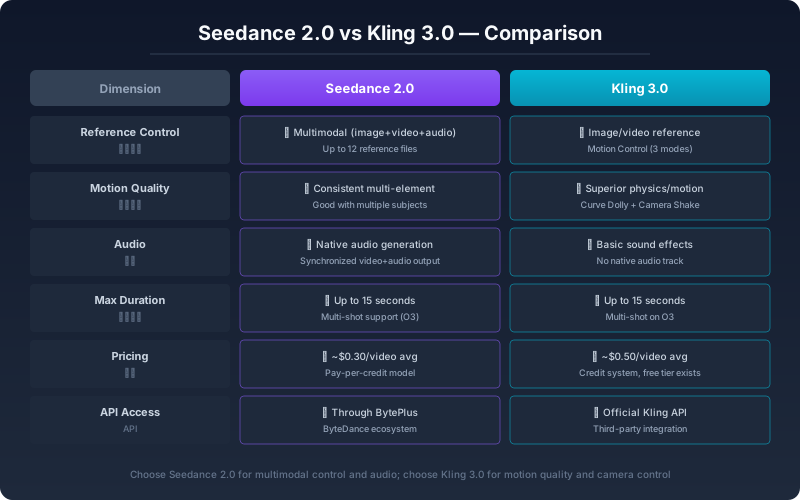
Seedance 2.0 与 Kling 3.0 深度对比:2026 年 AI 视频工具选型指南
Seedance 2.0 和 Kling 3.0 哪个更适合你?从控制方式、运动质量、音频同步到实际出片效率,用 200 多段实测视频告诉你两种工具的真正区别和选型标准。


ByteDance AI Video Generator: Seedance 2 Starter Guide
Looking for a practical ByteDance AI video workflow? Learn how to use Seedance 2 and Seedance 2 Fast on Seedance2Pro, choose the right mode, and estimate real clip cost.

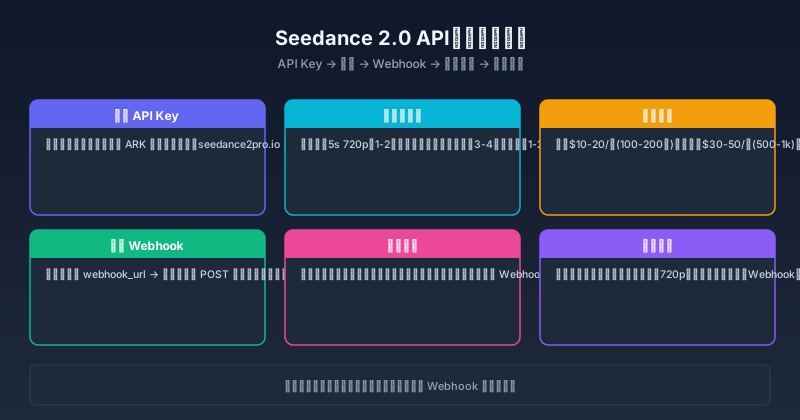
Seedance 2.0 API 接入完全指南:Key 申请、定价策略与集成实战
一篇讲透 Seedance 2.0 API 怎么接——Key 从哪拿、各模式到底多少钱、不同场景选哪种集成方式、实际跑通的代码示例。
订阅简报
加入我们的社区
订阅我们的简报,获取最新动态与资讯