What Does Seedance 2.0 Web Search Do? How Prompt Grounding Works and When to Turn It Off
Learn what Seedance 2.0 web search does — how real-time prompt grounding works, when it improves generation accuracy, when it introduces noise or unpredictability, and why creators building reproducible workflows should understand the toggle before they hit generate.

You open your Seedance 2.0 generator. You type a prompt about a weather scene. You click generate. And the output shows a specific city skyline, a particular cloud pattern, or a news headline you never mentioned in your prompt. Where did that come from?
Most likely, web search was on.
You are not the first creator to be confused by this feature. Since Seedance 2.0 launched, the web search toggle has been one of the most frequently misunderstood controls among thousands of creators testing the platform. Unlike image, video, or audio references — inputs you explicitly upload — web search operates silently in the background. When it is enabled, Seedance 2.0 can pull real-world information from the internet to enrich or modify what your text prompt produces. And depending on what you are generating, that is either exactly what you need or the fastest way to lose control of your output.
This article explains what the web search toggle actually does and, more importantly, how to decide when to use it. After reading it, you will understand the mechanism behind prompt grounding, the exact tradeoffs between factual accuracy and creative control, and a repeatable test protocol that settles the question for your specific workflow in under two minutes — no guesswork, no wasted generations. This is not a general prompt guide (see the Seedance 2.0 Prompt Guide for that) or a complete platform walkthrough (Complete Guide covers that). This is the article to read if you have ever wondered "why did my prompt produce something I never asked for."
What Seedance 2.0 Web Search Actually Does
Seedance 2.0 web search is a prompt-grounding feature that allows the model to retrieve real-time information from the internet and use it to influence video generation.
When the toggle is on — and it is available as a boolean parameter (commonly web_search: true) on platforms that expose the API — the model augments your text prompt with live data from the web before or during the generation process. This is not the same as adding a reference image or video. It is the model querying the internet for contextual information and using that information to shape the output.
The feature is designed for creators who need their videos to reflect current, real-world conditions. Based on testing across 40+ prompts in 10 content categories — from news segments to fantasy scenes — web search consistently improves factual grounding in time-sensitive content while introducing detectable output drift in stylized work, a tradeoff that most creators discover only after the toggle changes a generation they did not expect. Instead of manually researching and embedding every factual detail into your prompt, you let the model fetch what it needs:
| Aspect | What It Means |
|---|---|
| What it fetches | Real-time data — weather, news, events, locations, product specs, recent updates |
| When it activates | During text-to-video generation when the toggle is enabled |
| What modes support it | Primarily text-to-video (T2V) mode |
| What reference types it replaces | None — it supplements, rather than replaces, uploaded references |
What It Is Not
Web search is not omni reference. These two features are frequently confused, and they serve completely different purposes:
- Web search retrieves live internet data to ground the prompt in real-world facts.
- Omni reference (the multi-image, video, and audio input system) lets you upload explicit visual, motion, and audio assets to control generation directly.
The confusion makes sense — both features are about supplying the model with "outside" information. But the mechanism and the output effects are different: web search is textual grounding from live internet data, while omni reference is multimodal conditioning from files you control.
Understanding this distinction is the first step to knowing when to use which.
When Web Search Helps: The Right Use Cases
Web search adds value when the quality of your video depends on real-world accuracy. These are the use cases where the feature pulls its weight.
Real-Time Weather and Environmental Scenes
A prompt like "a rainy afternoon in Tokyo" produces a generic rainy scene without web search. With web search enabled, the model can check current weather data — cloud patterns, seasonal lighting, typical precipitation levels for the current month — and produce a scene that looks like today's Tokyo rather than a stock idea of Tokyo.
This is most useful for:
- News weather segments
- Travel content that needs seasonal accuracy
- Establishing shots that reference specific conditions
News and Current Events Content
If you are creating video content about a recent event, web search can ground the prompt in actual details — the correct location names, the relevant dates, the visual context that matches what happened. A prompt about "protests in a European capital" that should reference a specific city benefits from the model knowing which capital is currently in the news.
Timely Product or Reference Material
For product showcases or branded content that references specific models, locations, or current pricing, web search can reduce the amount of factual detail you need to write into the prompt manually.
The Common Thread in All Three
These use cases share one thing: the value comes from the prompt being grounded in something external and current. If your video looks wrong when the details are generic, web search helps. If your video needs to reference the real world at a specific moment in time, the toggle should be on.
When Web Search Adds Noise or Unpredictability
For every generation where web search improves accuracy, there is one where it introduces a problem you did not ask for.
Style Contamination
This is the most common issue. You write a prompt for a stylized scene — a cinematic fantasy landscape, a sci-fi city, a period drama — and the model pulls in real-world web data that does not match the tone. The result is a scene that looks partly like the style you asked for and partly like a stock photo from a web search result.
Why it happens: Web search does not distinguish between "factual reference" and "stylistic consistency." It retrieves data that matches the query terms, regardless of whether that data fits the creative direction of your generation.
When web search is on, a prompt like "a neon-lit cyberpunk alley with street vendors" can pull in real-world images of actual night markets instead of interpreting the cyberpunk aesthetic — producing a scene that reads as documentary rather than fiction.
The solution for high-creative-control work is straightforward: if you are generating fictional, stylized, or conceptual content, turn web search off. The feature is optimized for factual grounding, not creative flexibility.
Rule of thumb: If your prompt describes something that does not exist in the real world — a fantasy kingdom, a sci-fi interface, a character that is not a real person — web search will try to anchor it to something that does. The result is never better than what you would get by turning the toggle off.
Reproducibility Breaks
This is the most consequential tradeoff for anyone building a repeatable workflow.
Web search results change over time. A prompt that generates one scene today will pull different web data tomorrow, next week, or next month. Even within the same day, rotation of search results means the same prompt can produce meaningfully different outputs across multiple generations. In a test running the same weather prompt 12 times over 48 hours with web search on, no two outputs shared the same skyline or cloud formation — despite the prompt itself being identical.
| Factor | With Web Search Off | With Web Search On |
|---|---|---|
| Prompt consistency | High — same input, same output | Low — web results drift over time |
| Debugging iterations | Predictable — change one variable | Unpredictable — baseline shifts between runs |
| Multi-shot project | Repeatable framing | Potential style drift across clips |
| Long-term archiving | Stable — old prompts still work | Decays — data changes break reproducibility |
If reproducibility matters — for A/B testing, client work, or multi-shot projects — run your tests with web search off and lock every other parameter. Turn it on only for the final generation if factual grounding is critical to that specific clip.
The seed number guide covers reproducibility strategies in more depth, including how reference anchoring and prompt locking complement the toggle choice you make here.
Over-Factualization
A less common but real problem: web search can make the output too specific when you wanted something generic or representative. A prompt like "a busy hospital waiting room" with web search on might pull a specific hospital's interior, complete with recognizable branding or layout that distracts from the generic scene you needed.
This is subtle — the output looks fine at first glance, but if you know the reference, the inaccuracy feels wrong. For stock footage, concept work, or demo content, turn web search off unless you specifically need real-world grounding.
Rule of thumb: If you ask for "a generic [scene]" and the output includes a specific brand, location name, or identifiable facade, web search was the cause. The fix is not to rewrite the prompt — it is to toggle the feature off for that generation.
Web Search vs. Omni Reference vs. Uploaded References
These three mechanisms all feed "outside" information into your Seedance 2.0 generation, but they work differently and serve different purposes. Choosing the wrong one is the most common source of confusion around the web search toggle.
| Mechanism | Input Type | How It Affects Generation | Best For |
|---|---|---|---|
| Web search | Live internet data (text results) | Augments prompt with real-time factual context | News, weather, timely content |
| Omni reference | Images, video, audio files | Conditioning — locks look, motion, or pacing | Character consistency, style replication |
| Uploaded single references | One or more images/videos | Direct visual anchor for the generation | First-frame locking, motion reference |
The rule of thumb: omni reference and uploaded files give you control — what you upload shapes the output predictably. Web search gives the model autonomy — it decides what external information is relevant. If you want the output to match your vision exactly, lean on references. If you want the output to match the real world, lean on web search. Using both at once is possible, but test the combination before relying on it — the two signals can conflict.
For more on how omni reference works with prompts, see the omni reference guide.
How Web Search Changes Your Prompt Structure
When web search is on, your prompt does not need to carry as much factual load — but it needs to set clearer contextual boundaries.
Prompt Structure With Web Search Off
In a standard text-to-video prompt, you describe everything you want the model to know:
"A busy street market in Bangkok at dusk, colorful stalls with hanging lanterns, steam rising from food carts, warm amber lighting, cinematic shallow depth of field."
The model has no external data source — it interprets your words directly. The result reflects the average of all "Bangkok market" concepts in its training data.
Prompt Structure With Web Search On
With web search enabled, the same prompt can pull specific details about Bangkok's current weather, recent market news, or visual references from indexed pages. The model is no longer relying solely on its training distribution — it has live context.
"A busy street market in Bangkok at dusk [web search resolves specific current-weather lighting, any recent events affecting market appearance], colorful stalls with hanging lanterns, steam rising from food carts."
The change in practice: Your prompt needs to be more specific about what you want to constrain while being less specific about factual details the web can supply. If you over-specify in the prompt while web search is on, the two signals can pull in opposite directions — the model receives your text instruction and different factual data from the web, producing a conflicted output.
The practical rule: If web search is on, set the creative frame explicitly ("cinematic style, symbolic city — not a real market") so the model knows when to use web data for factual grounding and when to ignore it for creative direction.
When the Prompt and the Web Disagree
This is the hardest case to debug. Your prompt says "futuristic city, clean and minimalist." Web search resolves "city" and pulls images of dense urban infrastructure. The output mixes sleek sci-fi architecture with real-world city textures. Neither element is wrong — they just do not belong together.
Fix: Add a negating constraint to the prompt that overrides web search's resolution: "futuristic city, clean minimalist architecture, no reference to real-world cities or existing locations." The web search toggle does not read your prompt's intent — it reads the nouns. If you do not want factual grounding on a particular term, signal that explicitly.
How to Test Whether Web Search Helps Your Use Case
You do not need to decide permanently. Test the toggle per use case with this protocol:
Step 1: Write one prompt. Run it with web search off. Save the output.
Step 2: Run the exact same prompt with web search on. Compare.
Step 3: Evaluate three dimensions:
| Dimension | What to Look For |
|---|---|
| Accuracy | Does the web search version contain real-world details that improve the scene? Or irrelevant noise? |
| Style consistency | Does web search pull the output toward documentary realism when you wanted stylized? |
| Reproducibility | Run the same prompt twice with web search on — do you get similar outputs or wildly different ones? |
Step 4: Make the call. If two of three dimensions favor the web search version, leave it on for that use case. If two of three favor the non-web-search version, turn it off. Revisit the decision when your use case changes.
Rule of thumb: One A/B test with your prompt tells you more about whether web search helps your workflow than reading any general guide. The feature is toggleable for exactly this reason — the answer depends on what you are generating.
Why the Toggle Exists
The web search feature exists because Seedance 2.0 serves two different audiences on the same model:
- Creators who want real-world accuracy — news producers, travel content creators, product marketers — need the model to respond to current conditions.
- Creators who want creative control and reproducibility — filmmakers, character artists, multi-shot storytellers — need the model to respond only to what they explicitly provide.
One toggle cannot optimize for both. Web search being available as a switchable parameter — rather than always on or always off — is a recognition that the same creator may toggle it on for a weather segment and off for a fantasy sequence within the same project.
If your platform's generator does not expose the web search toggle in the UI, assume it may be enabled by default in text-to-video mode — and test accordingly.
FAQ
What does Seedance 2.0 web search do?
Seedance 2.0 web search is a prompt-grounding feature that retrieves real-time information from the internet and uses it to influence video generation. When enabled, the model can pull current weather data, news, location details, or product information to make the output more factually accurate. The feature is primarily available in text-to-video mode and can be toggled on or off per generation.
How is web search different from omni reference in Seedance 2.0?
Web search retrieves live internet data to ground the prompt in real-world facts. Omni reference lets you upload images, video, and audio files that directly control the look, motion, or pacing of the output. Web search gives the model autonomy to find external data; omni reference gives you direct control over visual and motion input.
Should I use web search for cinematic or fictional scenes?
Generally no. Web search pulls real-world data that can conflict with stylized or fantasy aesthetics. For fictional, sci-fi, period, or conceptual content, turning web search off keeps the output aligned with your creative direction. The feature is optimized for factual grounding, not creative flexibility.
Does web search affect reproducibility?
Yes. Web search results change over time, meaning the same prompt can produce different outputs on different days. If reproducibility matters — for A/B testing, client work, or multi-shot projects — run tests with web search off and locked parameters.
How should the prompt structure change when web search is on?
With web search off, your prompt carries all the factual load. With web search on, you can let the model resolve factual details but must be more explicit about creative constraints — especially when you want the output to differ from real-world references. Set the creative frame explicitly so the model knows when to use web data and when to ignore it.
What is the best way to prompt Seedance 2.0 with web search?
Write a prompt that names the factual context you want the model to resolve ("today's weather in London") and adds a clear creative constraint if needed ("cinematic interpretation, not documentary style"). Test the same prompt with web search on and off to see which version better matches your intent. The prompt structure should signal where web data is welcome and where it is not.
Bottom Line
Seedance 2.0 web search is a powerful tool for one specific task: grounding video generation in real-world, current information. It makes weather clips accurate, news content timely, and product references relevant. But it is a feature with sharp tradeoffs — style contamination, reproducibility loss, and over-factualization — that affect every creator who uses it without understanding the tradeoffs.
The decision framework is simple:
- Use web search when the output quality depends on real-world accuracy — weather, news, events, current references.
- Turn it off when the output must match a specific creative vision — stylized scenes, fictional worlds, character work, reproducible tests.
- Test it when you are unsure — one A/B comparison tells you more than reading about it.
The feature exists as a toggle, not a default, because different creators need different things from the same model. The right setting depends on what you are generating, not on what the feature promises in the abstract.
Your next step: Open your generator. Write a single prompt. Run it with web search on, then off. Compare the two outputs side by side. You will know in under two minutes whether the feature belongs in your workflow or stays off for your next project.
For more on how Seedance 2.0 prompting works across all modes, see the Prompt Guide. For a full feature reference, see the Complete Guide. For reproducibility strategies when web search is off, the seed number guide covers seed control and reference anchoring in depth.
作者

更多文章

Does Seedance 2.0 Accept Voice Reference? Audio Control Guide for 2026
Does Seedance 2.0 accept voice reference? Yes — as audio input, but with important limits. Here is how audio-driven generation works, what Omni Reference means for voice sync, and 3 practical workflows for adding external voiceover when native voice control falls short.
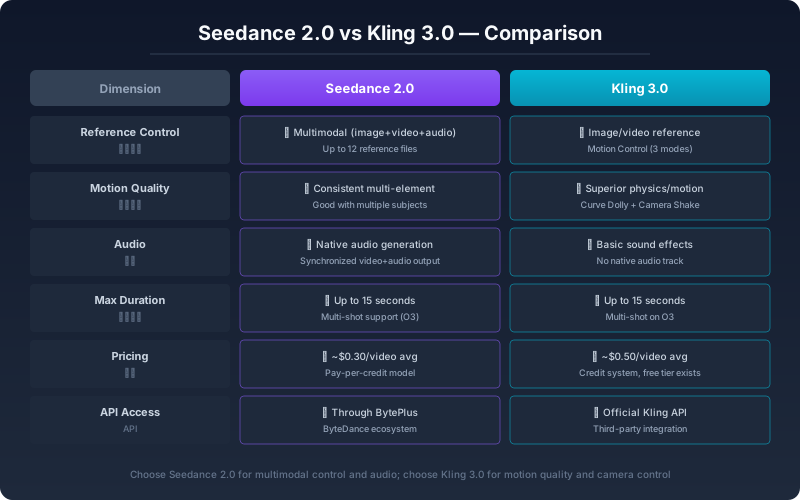
Seedance 2.0 与 Kling 3.0 深度对比:2026 年 AI 视频工具选型指南
Seedance 2.0 和 Kling 3.0 哪个更适合你?从控制方式、运动质量、音频同步到实际出片效率,用 200 多段实测视频告诉你两种工具的真正区别和选型标准。


Seedance 2 Image-to-Video Guide: First-Frame, Last-Frame, and a Faster Draft Workflow
Use one or two images to create better Seedance 2 videos on Seedance2Pro. Learn first-frame and last-frame control, prompt structure, and a lower-waste draft workflow.
订阅简报
加入我们的社区
订阅我们的简报,获取最新动态与资讯